Close the month sooner. Keep more of every fee.
Kinshiro takes the repetitive hours out of bookkeeping, from bank statement to month-end sign-off. Your firm closes sooner, carries more clients with the team it has, and shows every CPA firm where their books stand. A person still approves every line.
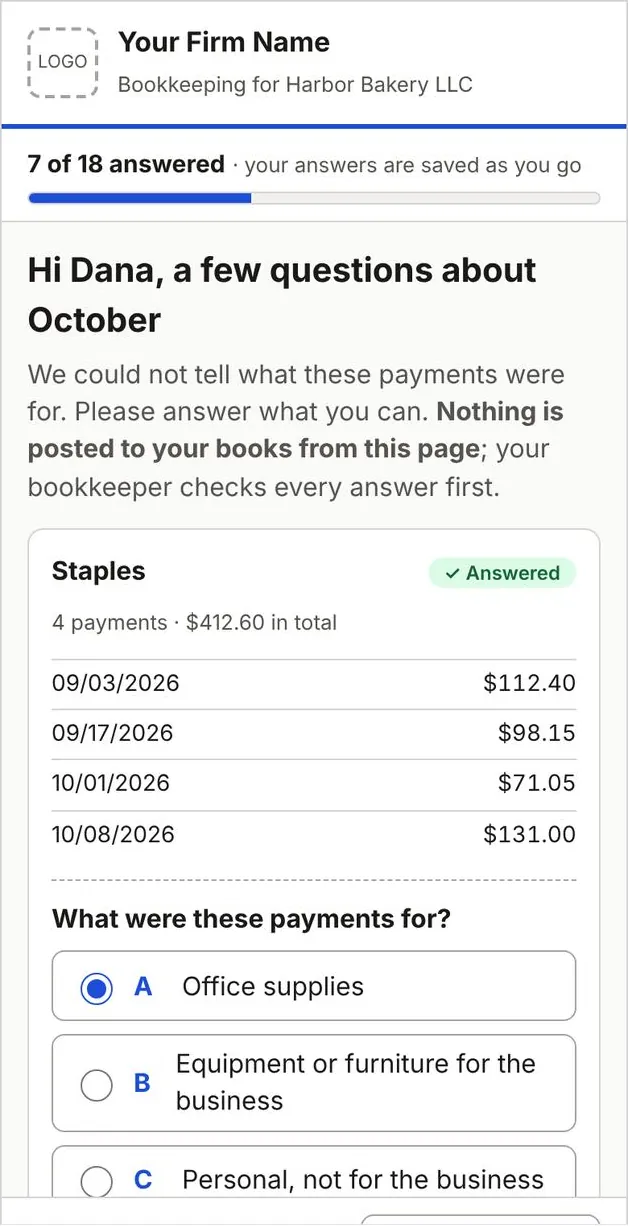
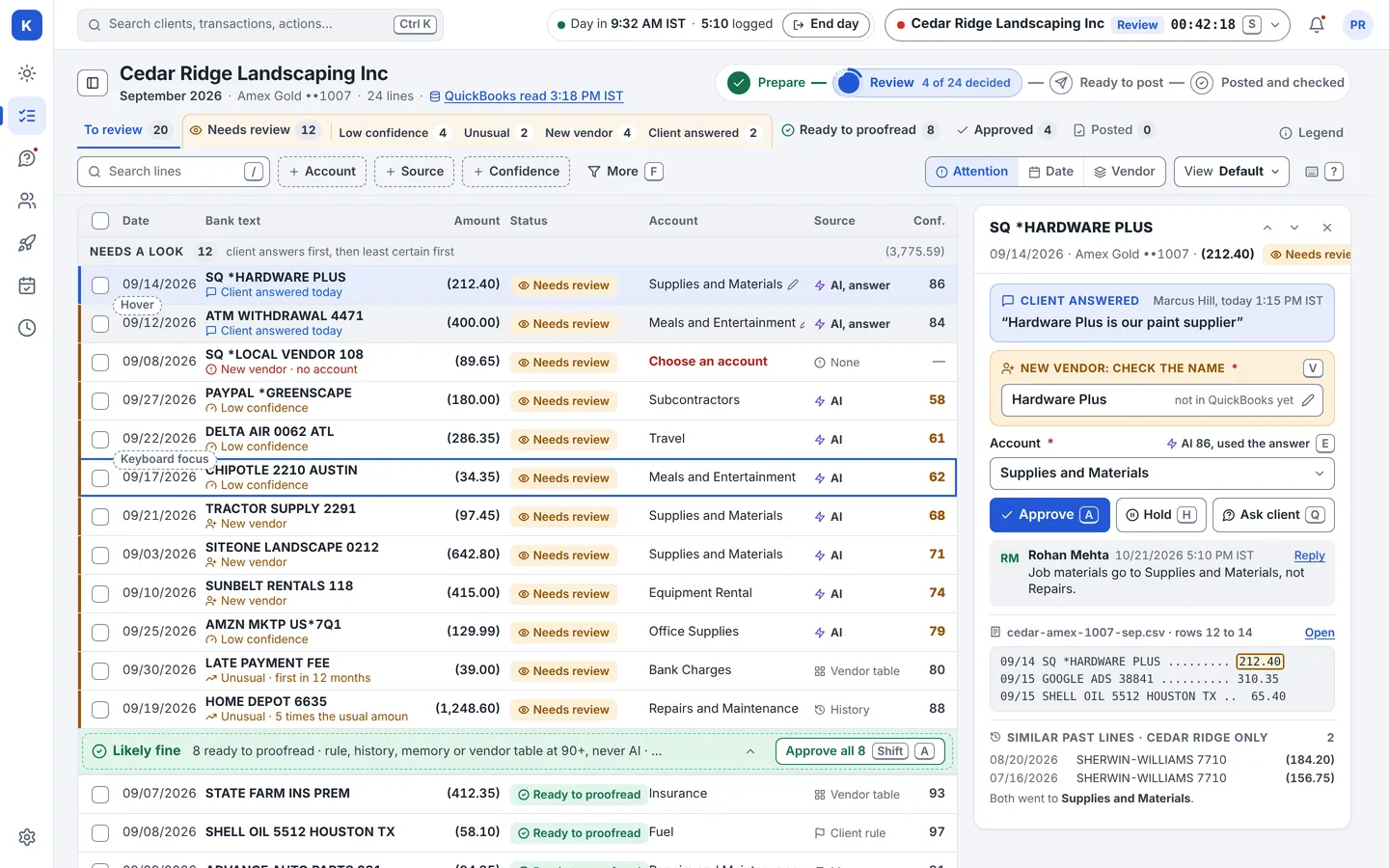
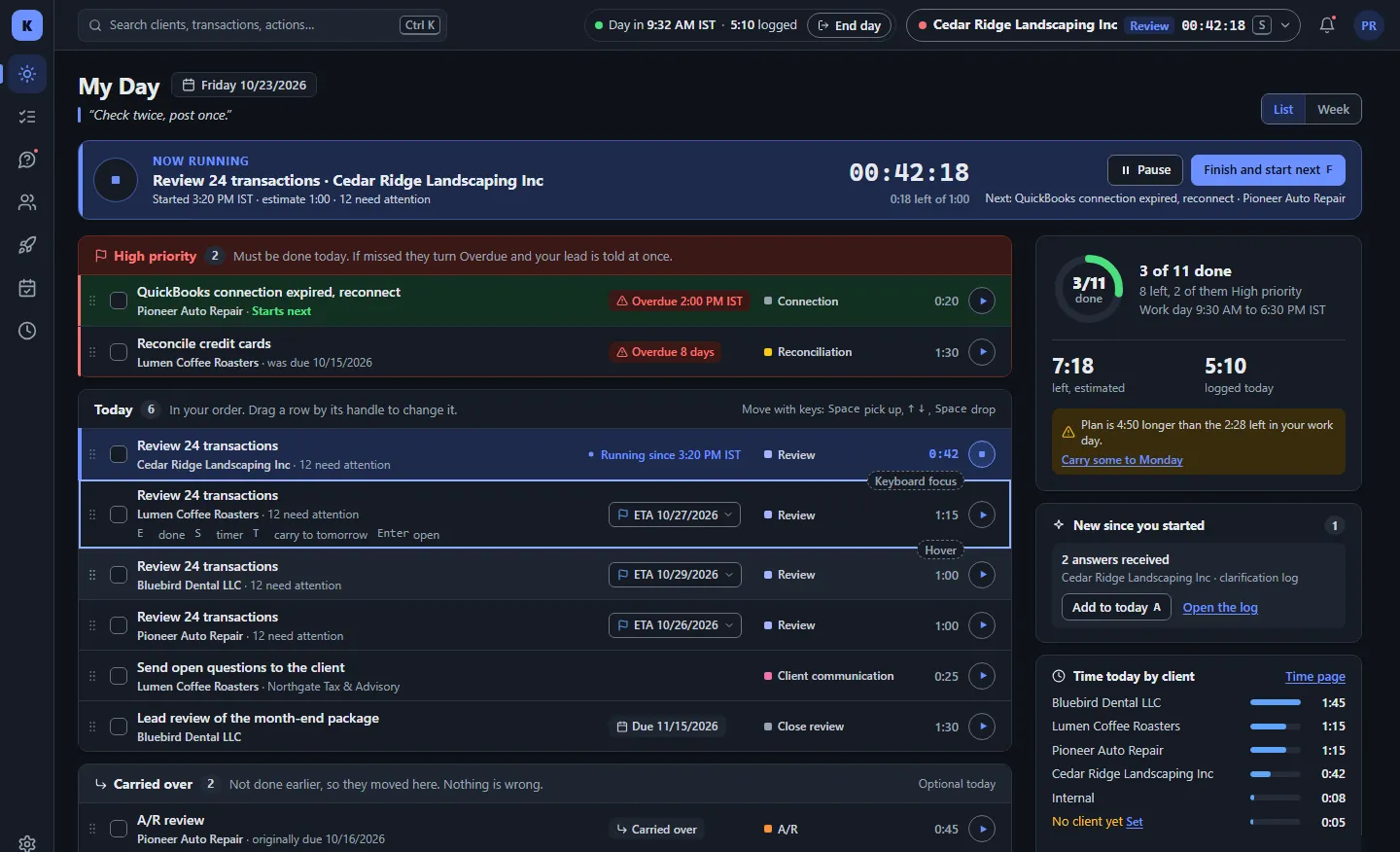
Works in light mode, dark mode and on a phone. Sample data. Made-up firm and clients.
What changes for the people who run the firm.
Hours back from every client.
Statements are read, not retyped. Each line arrives with a suggestion from the client’s own rules and history, so your team reviews instead of keying.
See the four stepsA lower cost to serve.
Approve whole groups at once. Send one short page of questions, not six emails. Carry more clients with the team you already have.
See Smart CategorizationA quicker close you can prove.
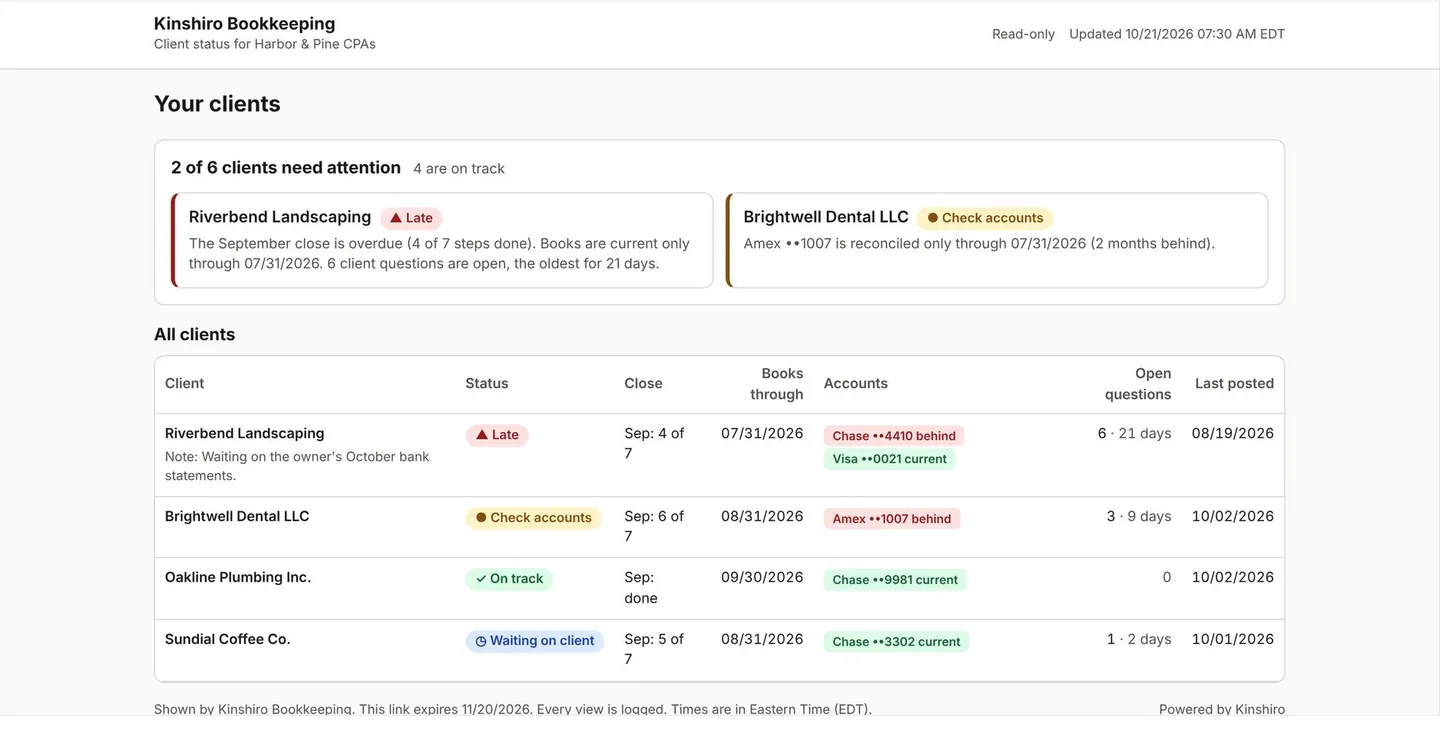
Every client’s close sits on one board. A task turns green only when its check passes. Your CPA firms see where things stand without emailing you.
See Month Close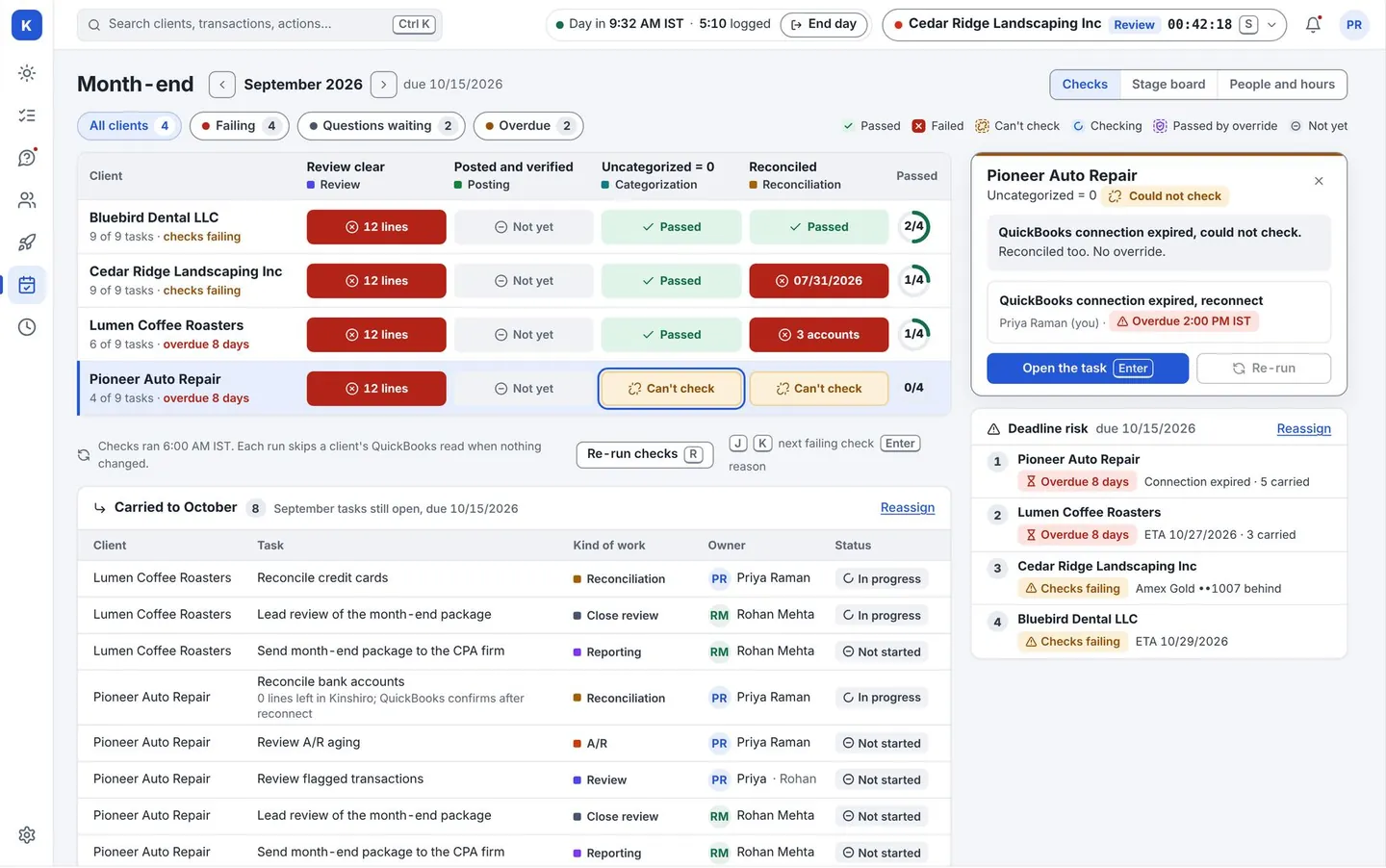
Where month-end margin goes.
The work is not the hard part. Keeping track is. Kinshiro is built around these six.
| What happens today | What it costs you | What Kinshiro does |
|---|---|---|
| Statements typed or pasted into QuickBooks, one client at a time | Paid hours with no judgment in them | Upload the file. Kinshiro reads it and suggests each line. |
| Month-end lives in a spreadsheet only one person understands | A close that depends on one person | One board for every client, with checks anyone can read. |
| Your CPA firm asks “where are we?” and the answer takes an hour | Senior time spent on status | A read-only status page your CPA firm opens itself. |
| The same question goes to the same client twice | A close held up waiting for answers | Questions grouped by vendor. Repeat answers can become rules. |
| A client’s volume doubles and the fee stays the same | Work you do and do not bill | A flag when a client stays over the agreed volume. |
| Connecting a new batch of QuickBooks companies takes days | New clients slow to start | One emailed link per client, tracked on one board. |
Work out what it is worth to your firm.
We do not quote a time-saved percentage. Your clients and your team decide that. Put in your own numbers and see the result.
Kept each month after Kinshiro Base
$1,000
- Hours back each month
- 400
- Break-even per client
- 1.5 hours
Arithmetic on your own numbers at the Base price of $15 per active client. It is not a promise of savings.
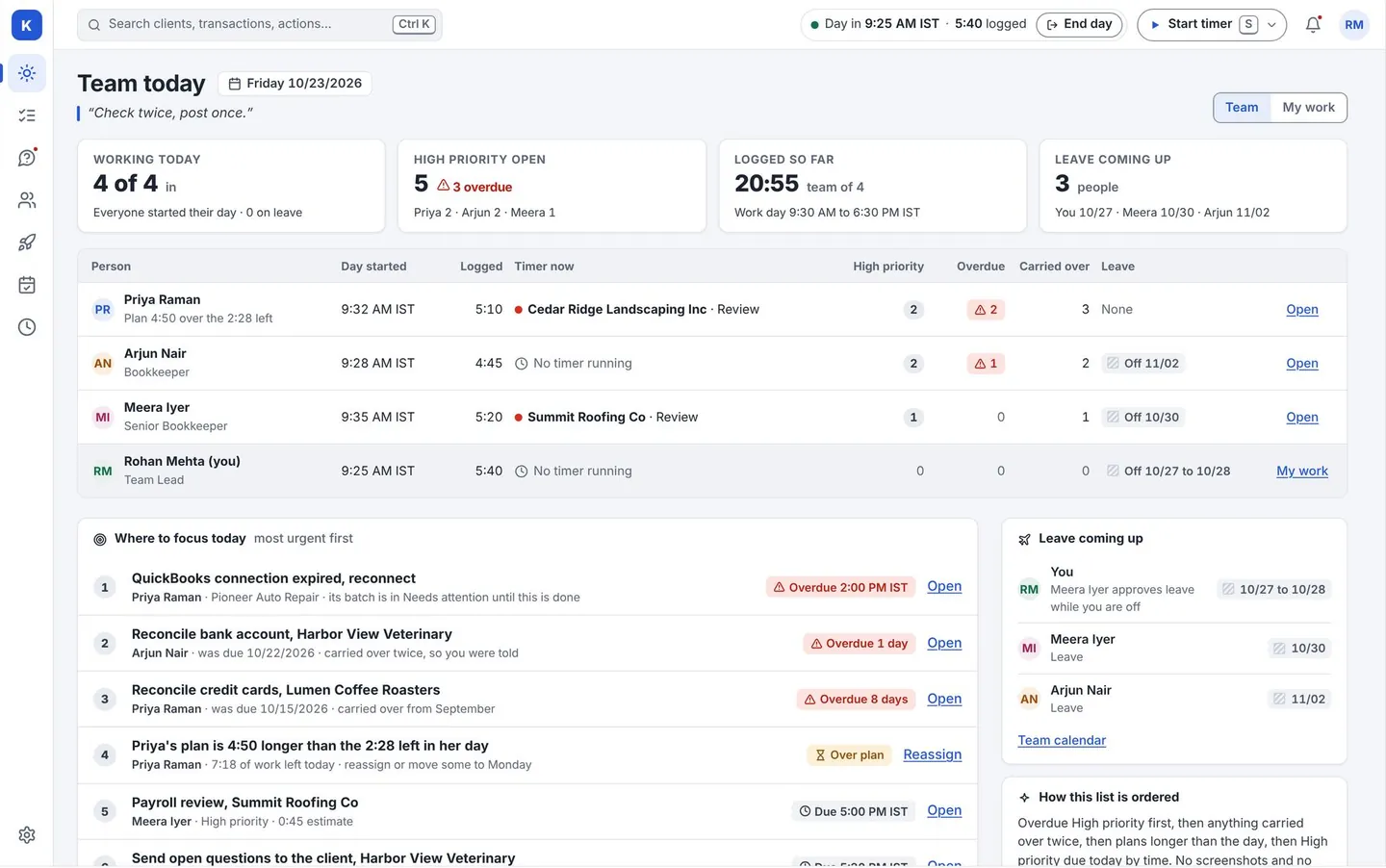
Run the whole firm from one screen.
See which close is at risk, who is overloaded and what each CPA firm can see, without asking anyone for an update.
Four steps. A person in charge of each.
- 1
Upload
Drop a bank or card statement. Kinshiro shows what it read before anything moves on.
- 2
Suggest
Each line gets a suggested category and a label saying where it came from.
- 3
Approve
Your team reviews and approves. Nothing posts on its own.
- 4
Post and check
Approved lines go to QuickBooks, then Kinshiro reads them back to confirm they landed.
Faster does not mean less control.
Software does the repeating. People decide.
Read how we keep data safe- A person approves every line before it reaches QuickBooks.
- Kinshiro never creates accounts in a client’s QuickBooks. If one is missing, it flags it for a person.
- Retry a post and you still get one entry, not two.
- Each firm’s and each client’s data is kept apart from every other.
How much time and cost will we save?
Does Kinshiro post to QuickBooks automatically?
Which accounting systems does it work with?
Can my CPA firms log in?
Is it only for offshore firms?
Does AI see my clients’ data?
Can I take my data out?
See it on a client list like yours.
A live walk-through on sample data. We never use your clients’ real books in a demo.